
Part-time physicians and FTE weighting
A part-time physician should take fewer calls than a full-time colleague, in proportion to how much they work. In Orchestrate Health you set this with “Shift load” in Physician Settings, and Shift Count shows each physician’s fair share as a Target weighted by that load. A leave of absence and employment start or end dates lower the share further; PTO does not.
- Give a 0.5 or 0.8 FTE physician a smaller share of call.
- Explain why a part-time physician has fewer shifts than a colleague.
- Know whether time away lowers a physician’s share.
How to do it
- 1
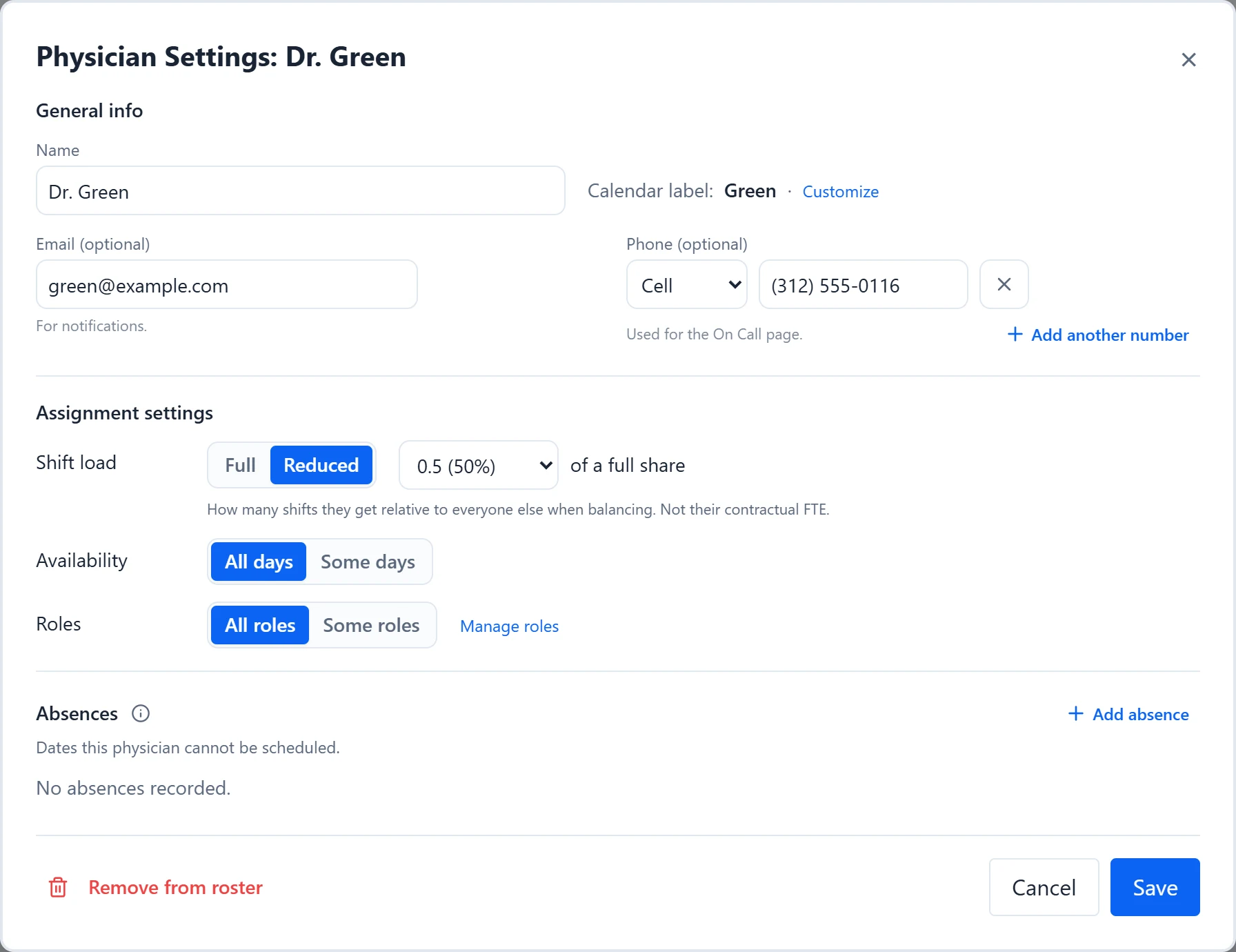
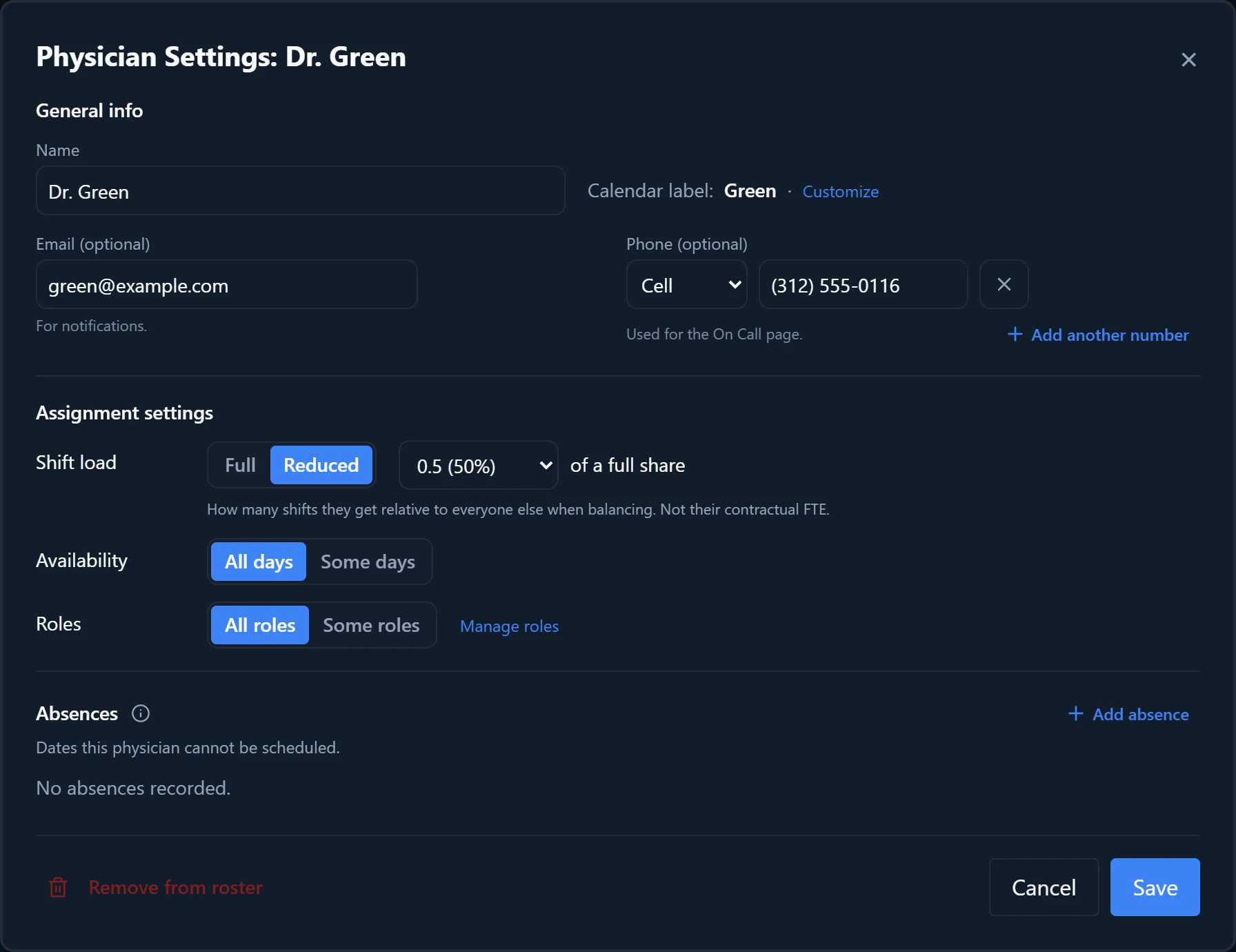
Open Physician Settings
Click the physician’s name in the sidebar.
- 2
Set the shift load
Under “Shift load”, choose “Reduced”, then pick a value from 0.9 (90%) down to 0.0 (0%) “of a full share”. Choose “Other...” to type an exact value between 0 and 1, such as 0.775.
- 3
Record leave and employment dates
In the absences section, choose “Add absence” and pick Leave of absence, Employment Starts, or Employment Ends where they apply. The type picker marks these “Prorated: lowers this physician’s expected share of shifts for the schedule.”
- 4
Save and generate
Choose “Save”, then generate. The new share applies the next time you generate; assignments already on the calendar do not change on their own.
- 5
Check Shift Count
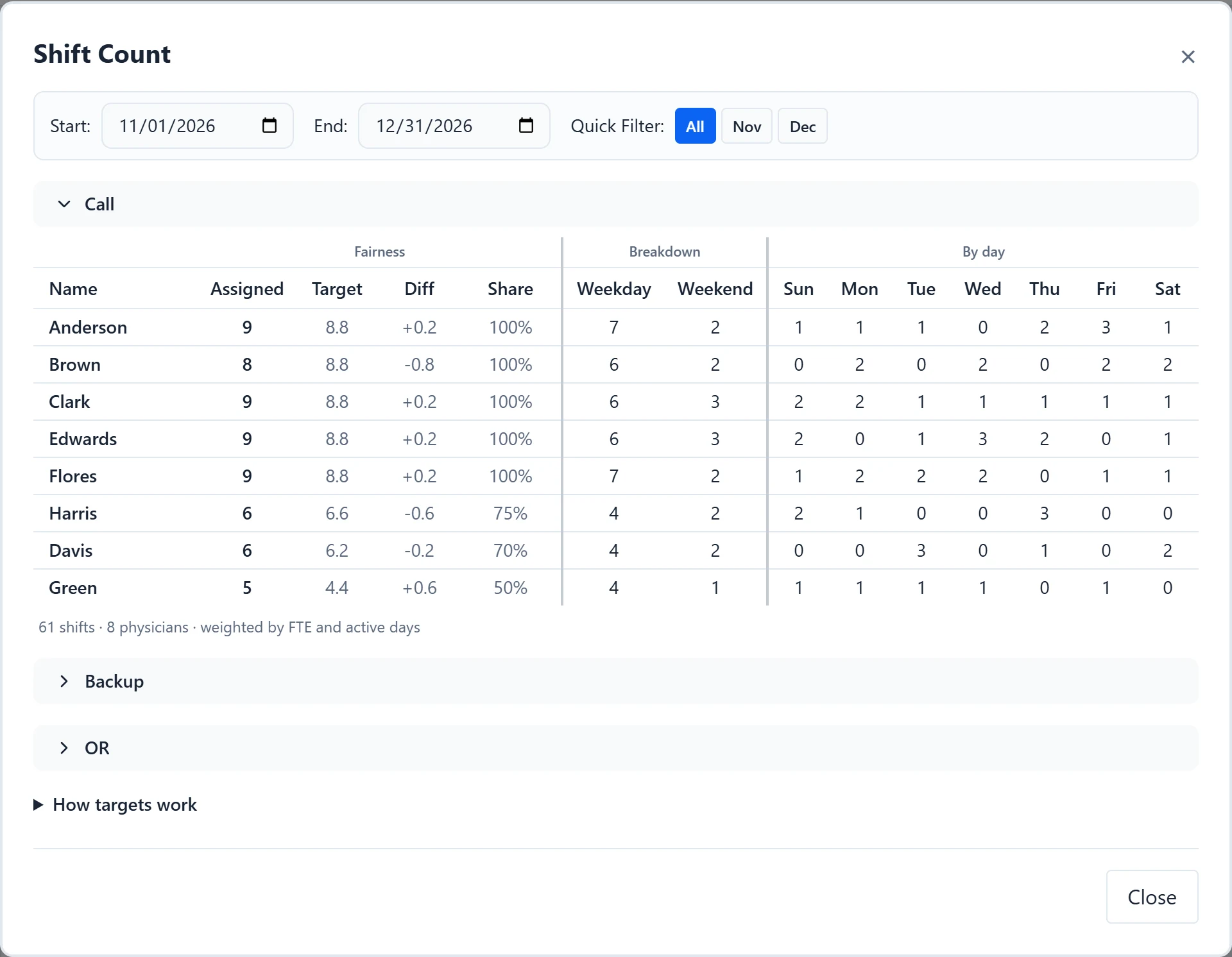
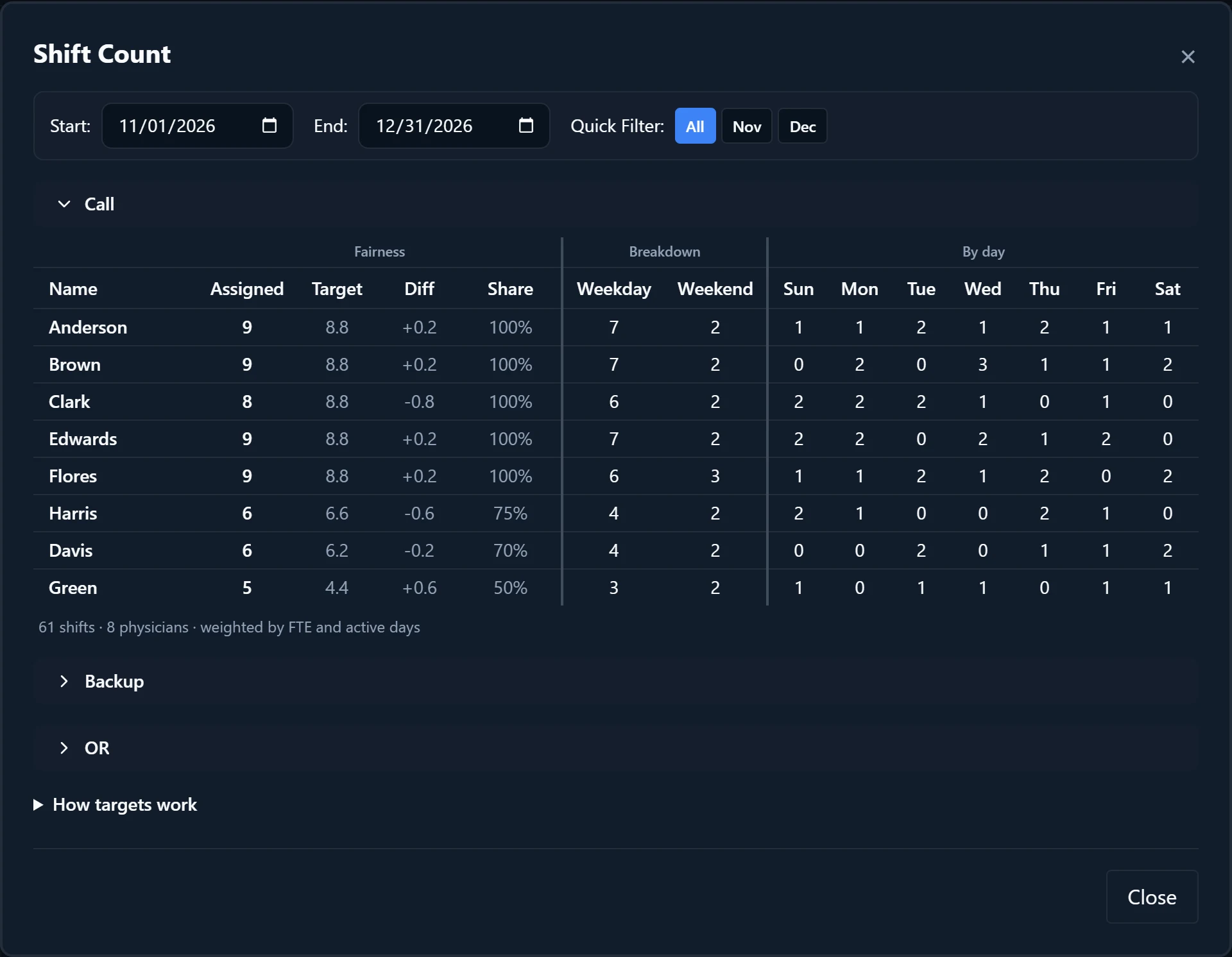
Select “Count” above the calendar. Compare “Target” with “Assigned” and read “Diff”. Hover “Share” to see the working, such as “0.5 FTE × 31 of 31 active days = 50% workload.”
Examples
A group of four covers Call every day from 3/1 to 3/31, 31 shifts. Three physicians are at Full and Dr. Patel is Reduced at 0.5. The Call section reads “31 shifts · 4 physicians · weighted by FTE and active days”, with a Target of 8.9 for each full-time physician and 4.4 for Dr. Patel. If Dr. Patel ends up with 5 shifts, Diff shows +0.6.
In the same month Dr. Patel takes PTO from 3/9 to 3/13. Their Target stays 4.4, because PTO blocks the dates but does not lower the share. If those five days were a Leave of absence instead, Share would read “0.5 FTE × 26 of 31 active days = 42% workload.”, Dr. Patel’s Target would drop to 3.8, and each full-time Target would rise to 9.1.
Good to know
- Shift load is a balancing weight, not HR data. The helper text says it sets how many shifts they get relative to everyone else when balancing, and is not their contractual FTE.
- One Shift load applies to every role the physician works. There is no separate load for weekends, holidays, or a single role.
- Each role has its own Target in Shift Count, shared among the physicians who work that role. Roles whose fairness counts are combined share one Target, shown as a “Shared count”.
- Time off (PTO), CME, and Personal / other keep the physician off those dates, but they still owe their full share over the range. Only Leave of absence, Employment Starts, and Employment Ends lower it.
- Limiting weekdays under “Availability” does not lower Target or Share. If a physician who works only some weekdays should also do less call, lower their Shift load as well.
- Targets can be fractional. As “How targets work” in Shift Count notes, small differences can reflect rounding and scheduling constraints, so a Diff under 1 is rarely worth fixing.
See the product tourRead the FAQ